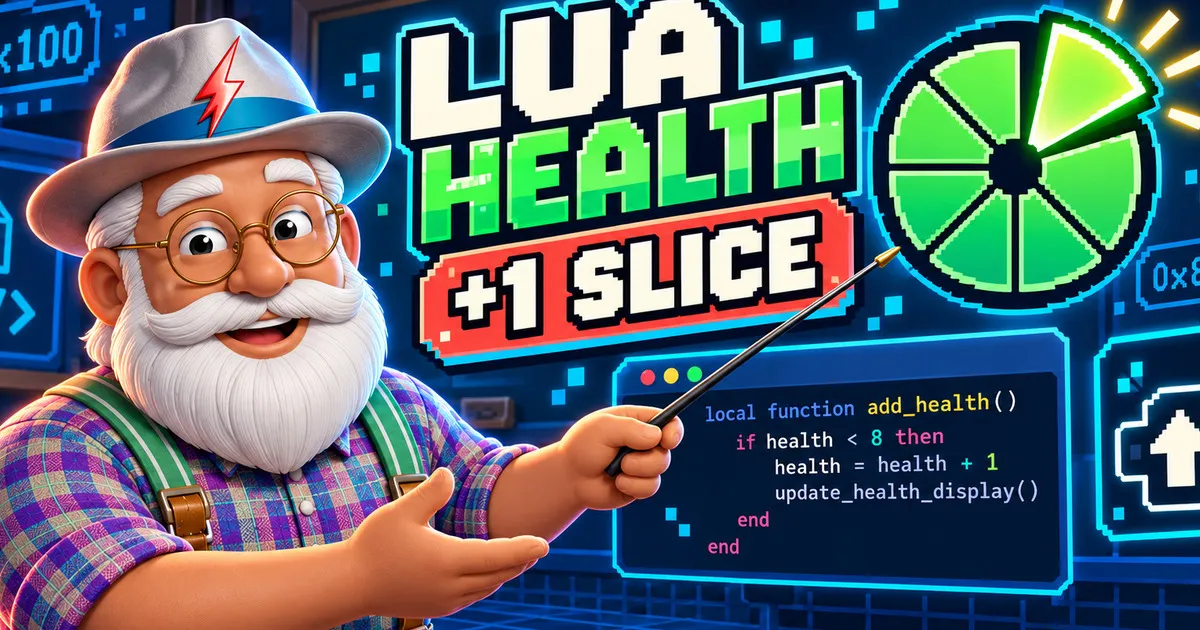
Your first game mode does not need a large framework. In this tutorial, you will create one folder, write one main.lua file and connect a function to the game’s Mario update event.
The result is a small health trainer: pressing D-pad Up restores one slice of the local player’s health, without exceeding the normal full-health value.

What you will learn
- How SM64CoopDX discovers a Lua mod.
- How
HOOK_MARIO_UPDATEcalls your function for each player. - Why the
mparameter is safer than readinggMarioStates[0]inside this hook. - How Mario’s pie-shaped health meter maps to integer and hexadecimal values.
- How to test and debug the mod from the game console.
Prerequisites
Prerequisites
- SM64CoopDXSoftware
A working installation that you manage. This tutorial does not provide the game, a ROM or extracted game assets.
- Text editorSoftware
Any plain-text editor that can save a file with the
.luaextension. - Mods folderPermission
Permission to create a folder and a
main.luafile inside one of the supported mods locations.
| Platform | Status | Minimum version | Notes |
|---|---|---|---|
| Windows | Supported | %appdata%/sm64coopdx/mods or the mods folder beside the game | |
| Linux | Supported | ~/.local/share/sm64coopdx/mods or the mods folder beside the game | |
| macOS | Supported | ~/Library/Application Support/sm64coopdx/mods or the mods folder beside the game |
Last verified: September 30, 2026
Understand the health meter
The MarioState.health field is an integer. The official MarioState guide identifies 0x880 as full health, while the official HUD example documents the power-meter range from 0xFF to 0x880.
One visible slice occupies 0x100 health units. In decimal, 0x100 is 256. Lua accepts both forms, so these additions are equivalent:
m.health = m.health + 256
m.health = m.health + 0x100| Health value | Hexadecimal | Pie meter |
|---|---|---|
| 0 to 255 | 0x000 to 0x0FF |
No usable slices |
| 256 to 511 | 0x100 to 0x1FF |
1 slice |
| 512 to 767 | 0x200 to 0x2FF |
2 slices |
| 768 to 1023 | 0x300 to 0x3FF |
3 slices |
| 1024 to 1279 | 0x400 to 0x4FF |
4 slices |
| 1280 to 1535 | 0x500 to 0x5FF |
5 slices |
| 1536 to 1791 | 0x600 to 0x6FF |
6 slices |
| 1792 to 2047 | 0x700 to 0x7FF |
7 slices |
| 2048 to 2176 | 0x800 to 0x880 |
8 slices, up to full health |
Build the mod
Create the mod folder
Create a folder named
first-health-modinside yourmodsfolder.The official reference supports a mod folder containing multiple Lua files when one of them is named
main.lua. This tutorial needs only that file.Verification: The new folder is inside a supported SM64CoopDX mods directory.
Create main.lua
Inside
first-health-mod, create a plain-text file namedmain.lua.Verification: The file is named main.lua, not main.lua.txt.
Add the health trainer
Paste this complete example into
main.lua:-- name: First Health Mod -- description: Press D-pad Up to restore one health slice. local HEALTH_SLICE = 0x100 local FULL_HEALTH = 0x880 local function mario_update(m) -- HOOK_MARIO_UPDATE runs once per player each frame. -- Player index 0 is the local player on each client. if m.playerIndex ~= 0 then return end if (m.controller.buttonPressed & U_JPAD) ~= 0 then m.health = math.min(m.health + HEALTH_SLICE, FULL_HEALTH) djui_chat_message_create("Restored one health slice") end end hook_event(HOOK_MARIO_UPDATE, mario_update)Verification: The file contains the constants, update function and hook shown below.
Start the game and enable the mod
Start SM64CoopDX, open its mod list and enable First Health Mod. If the game was already open when you created the files, restart it so the new mod is loaded.
Verification: First Health Mod appears in the game's mod list and is enabled.
Test the result
Enter a level, lose at least one slice of health, then press D-pad Up once. The power meter should increase by one slice, unless Mario is already at full health.
Verification: One D-pad Up press restores health and the chat confirms the action.
How the code works
Constants keep the health rules readable
HEALTH_SLICE stores 0x100, which is 256 in decimal. FULL_HEALTH stores the documented maximum of 0x880. Giving these values names makes the intent clearer than repeating unexplained numbers.
The hook provides the MarioState
The official hooks reference says HOOK_MARIO_UPDATE runs once per player per frame at the end of that player’s update and passes a MarioState value to the callback. That value is the m parameter in mario_update(m).
The MarioState guide recommends using this supplied m instead of gMarioStates[0] when a hook already provides it.
The local-player guard prevents unintended changes
Because the hook runs for every player, this line stops the function for remote players:
if m.playerIndex ~= 0 then return endThis makes the trainer a local effect. It does not attempt to synchronize or rewrite another player’s health.
buttonPressed performs one action per press
The controller structure exposes buttonPressed, and the constants reference exposes U_JPAD. The bitwise check detects D-pad Up in the current update. Unlike buttonDown, buttonPressed avoids adding health continuously while the button remains held.
math.min enforces the normal maximum
This expression adds one slice and selects the smaller value between that result and full health:
m.health = math.min(m.health + HEALTH_SLICE, FULL_HEALTH)Expected result
Expected result
After the mod loads successfully, you should be able to restore the local player's health in controlled one-slice steps.
- First Health Mod appears in the in-game mod list
- Pressing D-pad Up once adds no more than one slice
- The chat displays Restored one health slice
- Repeated presses never raise health above 0x880
- Other players are not modified by this local callback
Common problems
The mod does not appear
Confirm the folder structure is exactly:
mods/
└── first-health-mod/
└── main.luaAlso check that your editor did not save the file as main.lua.txt.
Pressing D-pad Up does nothing
Make sure the mod is enabled and the game recognizes your D-pad input. Test after Mario has lost health, because the clamp intentionally prevents the value from exceeding 0x880.
The game reports a Lua error
The official reference recommends launching the game from a console with the --console parameter while developing Lua mods. Lua errors and print() output will appear there. Read the first error, note its file and line number, correct it, then restart or reload the mod.
Where to go next
You now have the essential structure of a Lua game mode: a main.lua entry file, a callback, a documented hook, a player-state field and an observable result.
As a next exercise, you can replace the button constant with another documented controller constant, or display the current value with djui_chat_message_create(tostring(m.health)). Keep using the m supplied by HOOK_MARIO_UPDATE and keep the local-player guard when the behavior is meant only for the current player.
Official sources
Technical details in this tutorial were last verified on September 30, 2026 against SM64CoopDX commit 8cd6e5977d9f920d51ca71f2c61801d019ed79c6.