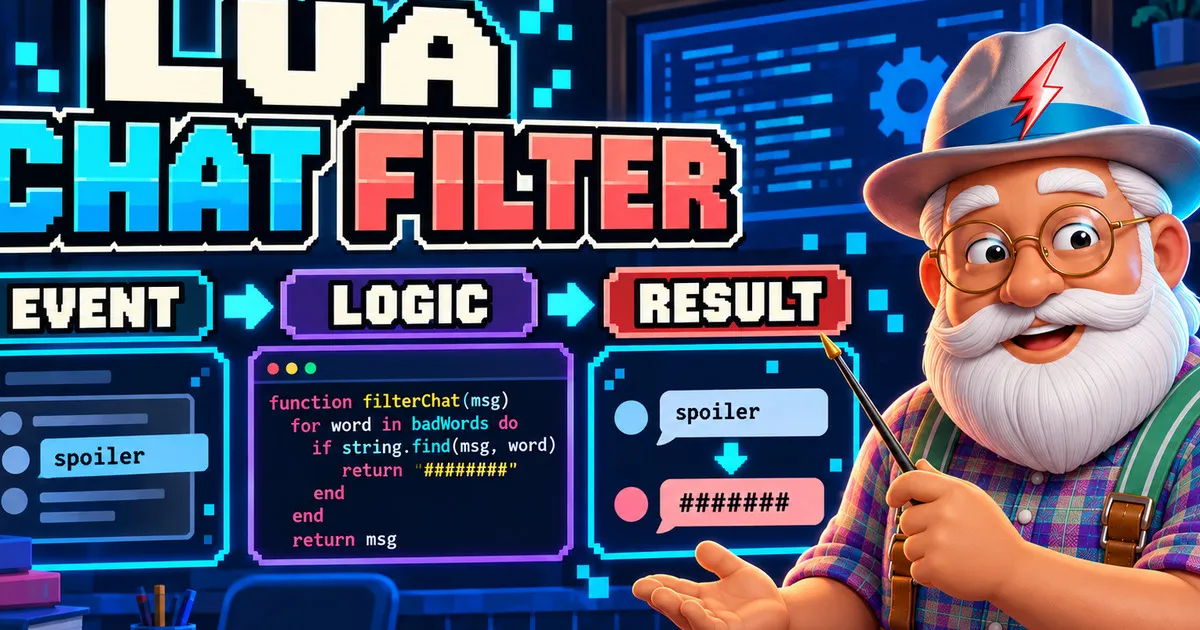
A useful first mod should teach more than copying a finished file. In this guide, you will turn one simple idea into a small program: when a chat message contains a blocked word, replace that complete word with # characters.
The real community mod that inspired this lesson is Roblox-Like Swear Filter. Its creator is credited as Gamecube, whose username is Blither Dev. Both names identify the same person. We will not reproduce the mod’s large word list. Instead, we will rebuild the underlying idea with neutral test words so you can understand the structure and later design your own rules responsibly.
What you will learn
- A Lua table can store related data.
- A function can transform one input into one output.
- A loop can apply the same rule to every table item.
- A condition can decide whether the original chat message continues.
- A hook connects your function to an event from SM64CoopDX.
- A second return value can report whether anything changed.
Before you begin
Prerequisites
- SM64CoopDXSoftware
Use your own working installation. This tutorial only creates a Lua file.
- Text editorSoftware
Any plain-text editor that preserves the
.luaextension is enough. - Mods folderPermission
You need permission to create a folder and
main.luainside a supported mods directory.
The official Lua reference says a mod folder can contain several Lua files as long as one is named main.lua. It also documents HOOK_ON_CHAT_MESSAGE, which receives the sender’s MarioState and the message string. Returning false prevents the original message from being sent.
Official SM64CoopDX hooks reference
Defines hook_event, HOOK_ON_CHAT_MESSAGE, its parameters and the false return behavior used by this tutorial.
Design the program before writing it
Think of the mod as a short pipeline:
- Event: SM64CoopDX gives the callback a new message.
- Data: a table contains the words you chose to filter.
- Logic: a loop checks each word and replaces complete matches.
- Decision: unchanged messages continue normally.
- Result: changed messages are displayed in filtered form and the original is stopped.
This separation matters. The event should not know how every replacement works, and the filter function should not need to know how SM64CoopDX displays chat.
Build the mod in small pieces
Create the folder and entry file
Create
chat-filterinside your SM64CoopDXmodsfolder, then createmain.luainside it.Verification: The path ends with chat-filter/main.lua.
Start with a small data table
A table groups values that belong to the same concept. Begin with two safe examples:
local blocked_words = { "spoiler", "secret", }Verification: The table contains only neutral test terms.
Turn one word into a whole-word pattern
This helper creates upper and lowercase alternatives for every letter. The frontier markers keep a word such as
secretfrom matching inside a longer word.local function whole_word_pattern(word) local letters = string.gsub(word, "%a", function(letter) return string.format( "[%s%s]", string.lower(letter), string.upper(letter) ) end) return "%f[%a]" .. letters .. "%f[%A]" endVerification: The helper returns one Lua pattern string.
Create the transformation function
The loop applies the same operation to every word.
string.gsubreturns the new text and the number of replacements, so the function can remember whether at least one match occurred.local function filter_message(message) local result = message local changed = false for _, word in ipairs(blocked_words) do local replacement = string.rep("#", string.len(word)) local count result, count = string.gsub( result, whole_word_pattern(word), replacement ) if count > 0 then changed = true end end return result, changed endVerification: The function returns both the filtered text and a changed flag.
Connect the logic to chat
The callback delegates filtering to the function you already tested mentally. If nothing changed, it returns without interfering. If something changed, it creates the filtered chat line, plays a documented menu sound and returns
falseto stop the original.-- name: Learning Chat Filter -- description: A small chat filter built for learning Lua logic. local blocked_words = { "spoiler", "secret", } local function whole_word_pattern(word) local letters = string.gsub(word, "%a", function(letter) return string.format("[%s%s]", string.lower(letter), string.upper(letter)) end) return "%f[%a]" .. letters .. "%f[%A]" end local function filter_message(message) local result = message local changed = false for _, word in ipairs(blocked_words) do local replacement = string.rep("#", string.len(word)) local count result, count = string.gsub(result, whole_word_pattern(word), replacement) if count > 0 then changed = true end end return result, changed end local function on_chat_message(_sender, message) local filtered, changed = filter_message(message) if not changed then return end play_sound(SOUND_MENU_MESSAGE_APPEAR, gGlobalSoundSource) djui_chat_message_create(filtered) return false end hook_event(HOOK_ON_CHAT_MESSAGE, on_chat_message)Verification: The final line registers HOOK_ON_CHAT_MESSAGE.
Test one rule at a time
Enable the mod and try
this is a spoiler. Then tryspoilersand a message without a configured word. These three cases help you observe whole-word matching and the unchanged path.Verification: Normal text remains unchanged and a configured whole word becomes hash symbols.
Read the logic like a programmer
blocked_words is data. whole_word_pattern prepares one rule. filter_message is logic that can be reasoned about without the game. on_chat_message is the integration boundary between your logic and the SM64CoopDX API.
This organization is more valuable than memorizing every line. When you add a word, you change data. When you change matching behavior, you edit the pattern helper. When the game API changes, you inspect the event boundary.
Improve it through experiments
Try one change at a time:
- Replace
#with another neutral symbol. - Add one test word and predict the output before running the game.
- Return the replacement count from
filter_messageas a third value. - Move the table into a second Lua file only after the one-file version is clear.
- Write test inputs on paper: no match, one match, uppercase match and a longer word containing the same letters.
Do not begin by pasting a massive list. A tiny table lets you understand the algorithm, find mistakes and decide what behavior you actually want.
Expected result
Expected result
You now have a small event-driven mod whose data, transformation logic and game integration are separated clearly.
- The mod appears in the SM64CoopDX mod list
- Messages without configured words continue normally
- A configured whole word is replaced with the same number of hash symbols
- Uppercase and lowercase forms are handled by the generated pattern
- The original changed message is stopped only after the filtered line is created
What to learn next
You have already used several foundations of programming: data structures, local variables, pure transformation, iteration, branching, multiple return values and event-driven integration. Your next useful step is not a larger word list. It is learning how to test each function with predictable inputs and how to separate configuration from behavior.